

Nur for Mac · Private beta
Nur lives in your notch.
Hold fn and talk, and your words appear wherever you type. Ask her anything, and she finds your files, plans your day, answers your email and starts your coding agents. Anything that sends or changes something waits for your yes.
macOS 14.4 or later, on Apple silicon or Intel.
Nur is on her way
Your download has started; if it hasn't, download Nur. Then:
- Open Nur.dmg and drag Nur to Applications.
- This build isn't notarised by Apple, so macOS won't open it straight from a download. Once, in Terminal:
xattr -dr com.apple.quarantine /Applications/Nur.app - Open Nur from Applications. Her first run asks for each permission she needs, one at a time, and shows you around.
From then on she keeps herself up to date: a new version gets ready quietly and goes in when you quit Nur, or when you choose “Update ready, restart” in her menu.
Nur for Mac runs on a Mac. Open eesi.ai/mac there to download her.
-
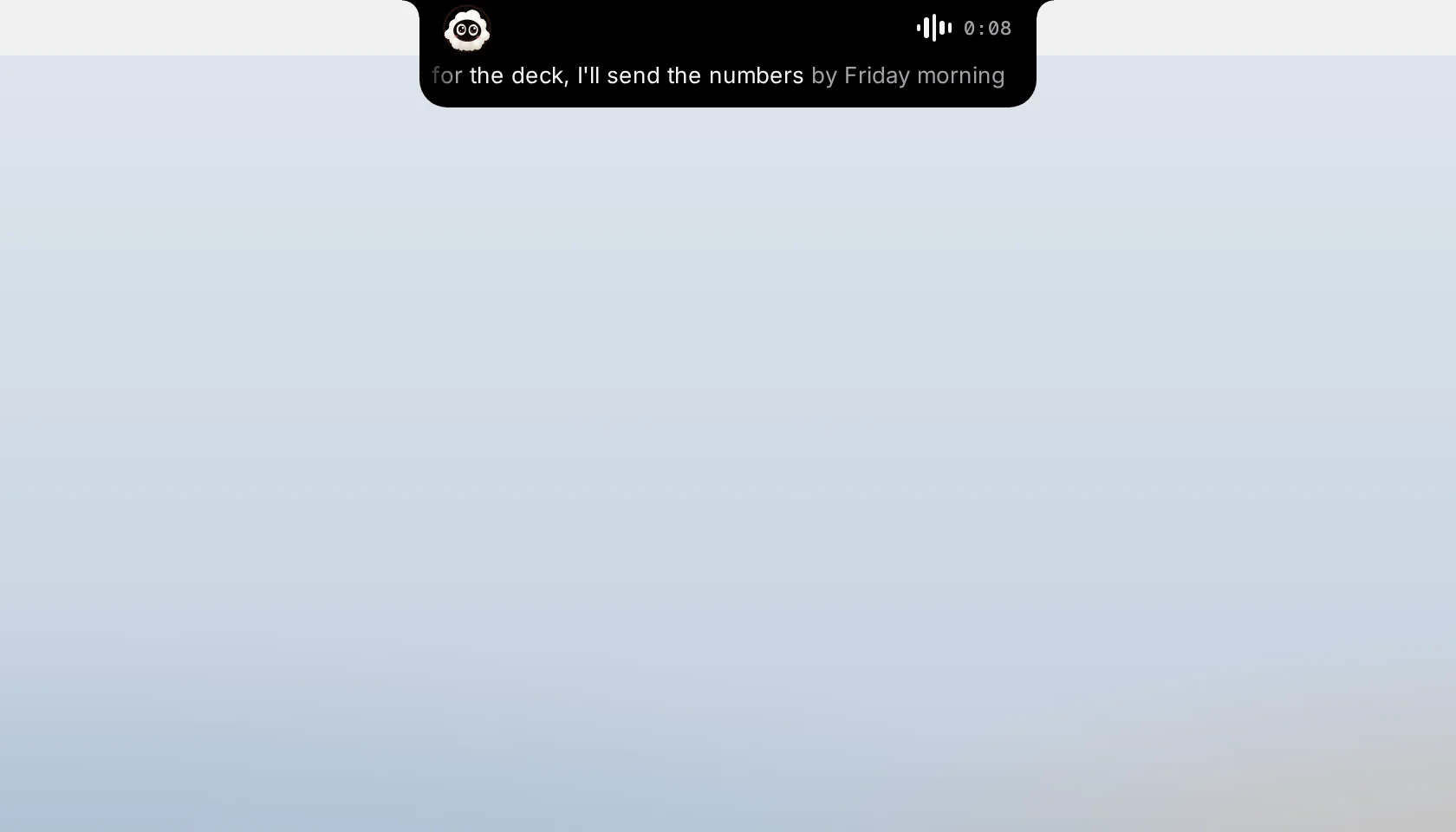
Hold fn and talk
Your words appear where you're typing, in any app, cleaned up the way that app wants them. Say “scratch that” and the last bit goes.
-
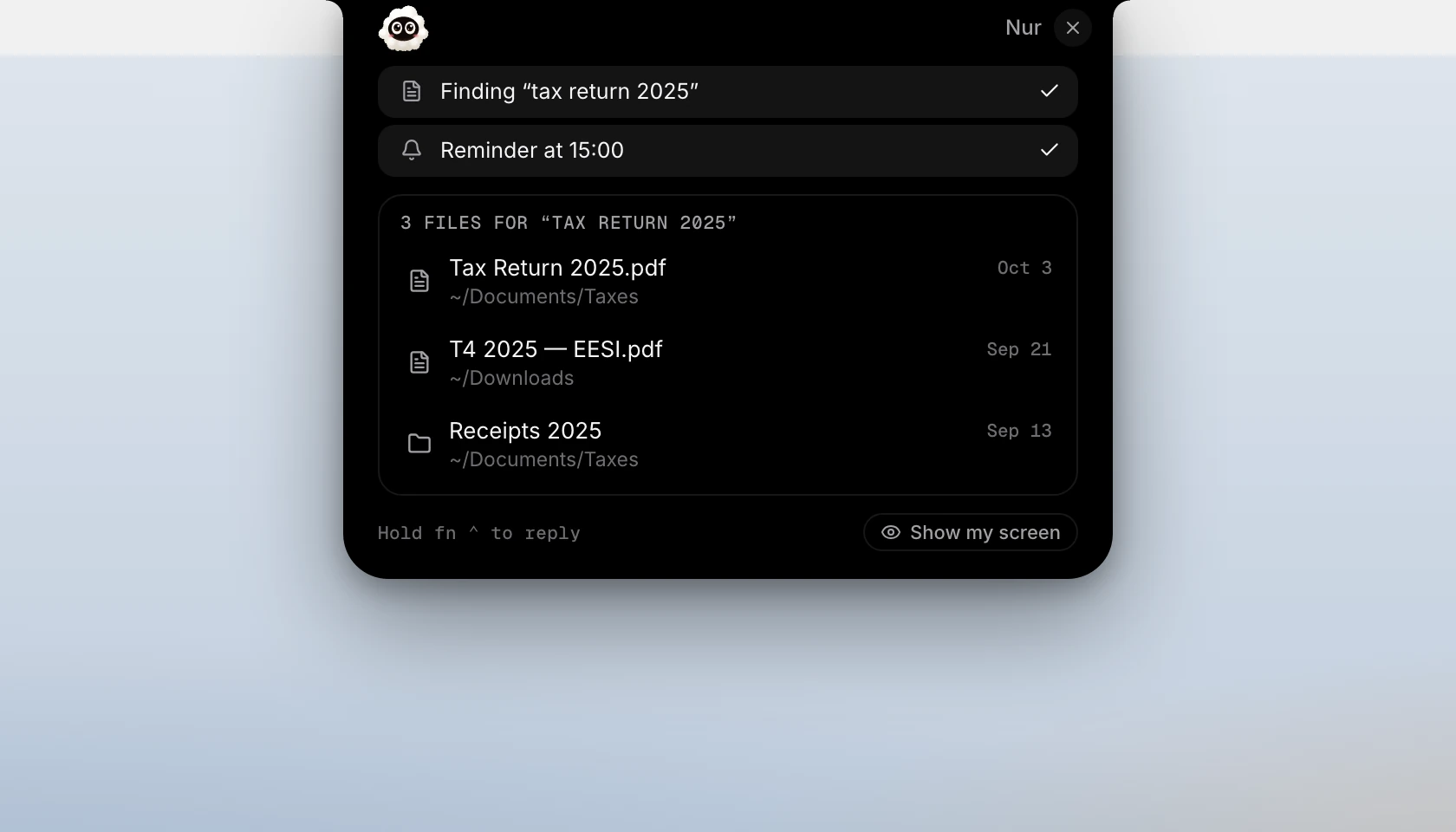
Ask her anything
Hold fn and ⌃ and say what you need. She finds the file, sets the reminder and shows you what she did, right in the notch.
-
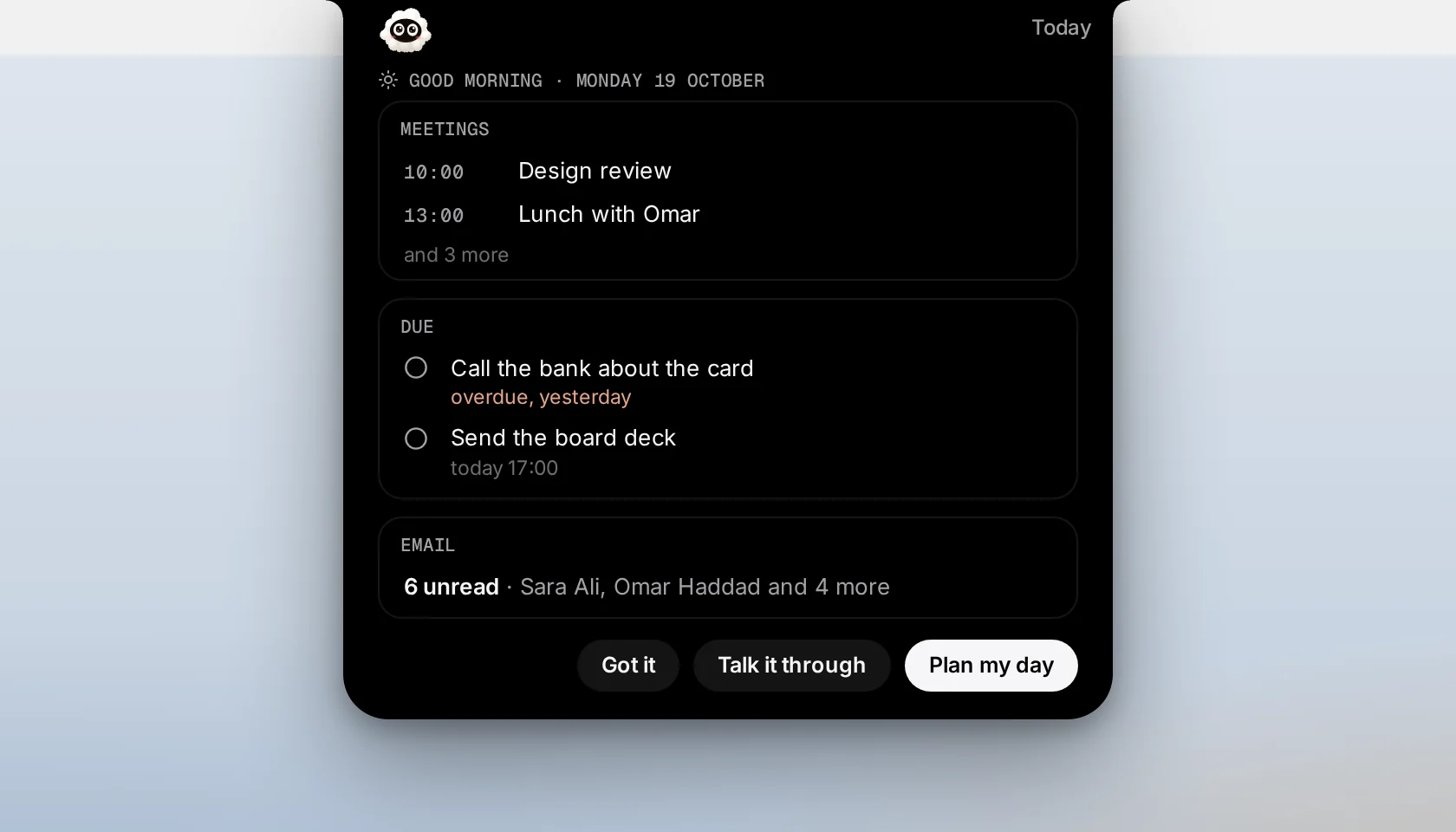
Your morning, at a glance
Your meetings, what's due and the email that waits on you, each morning in the notch. Ask her to plan your day and what's due goes into your free time.
-
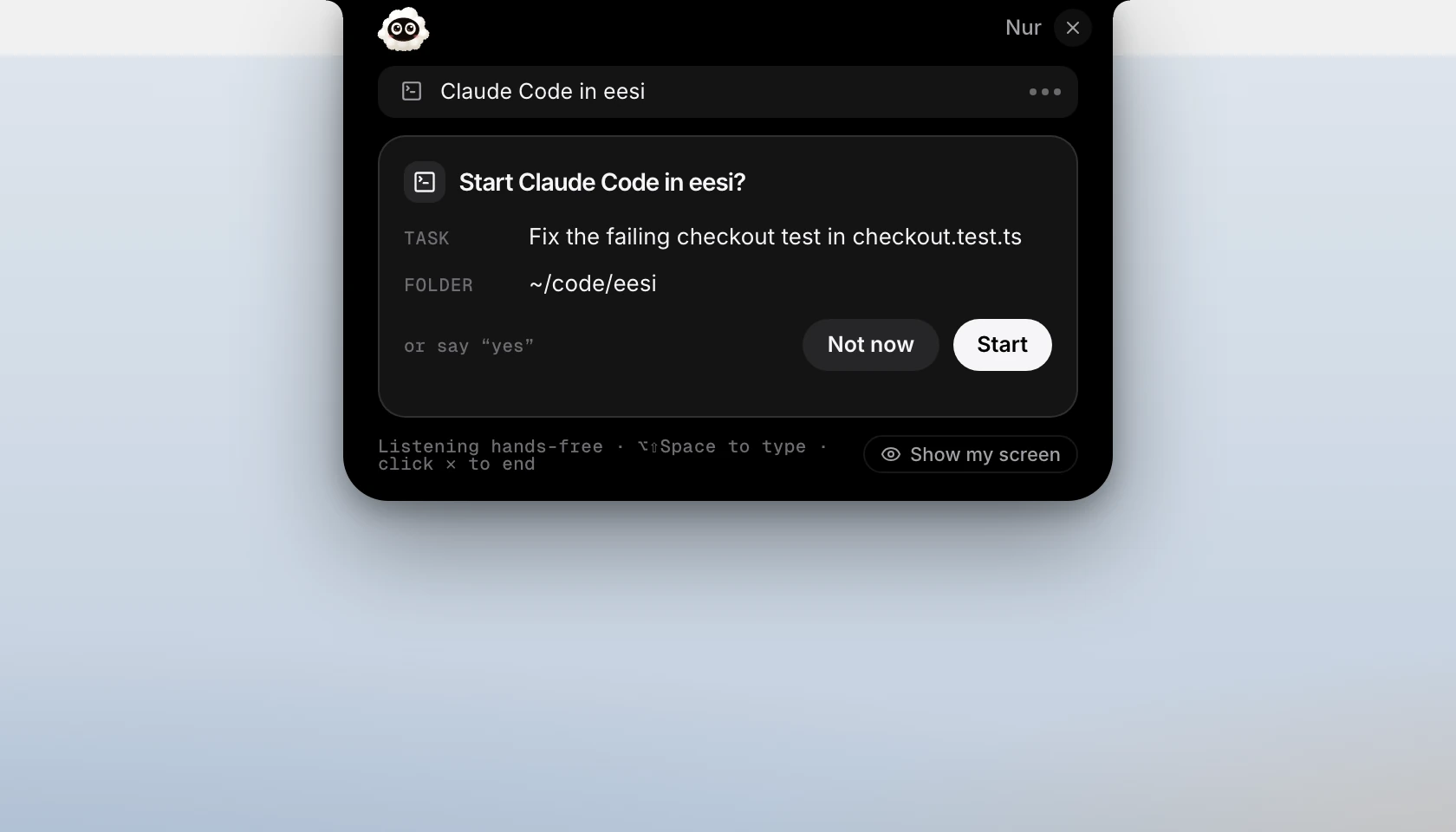
“Have Claude Code fix the failing test”
She starts your coding agent in the right project after your yes, and the notch tells you when it needs you or has finished.
macOS 14.4 or later, on Apple silicon or Intel.